Choosing an export format
Finance-Ready CSV, Sage 50, Xero, QuickBooks Online and the FreeAgent bill-ready sheet: what each one is for, what it asks of you, and how credit notes come out in each.
Last updated 9 October 2026 · 8 min read
Five formats, one menu
Every export lives behind the same Export ▾ menu: in the top bar on the Extract screen, on a History detail and on a batch, and on the group header row itself for a History batch group. Which format you pick depends on where the data is going:
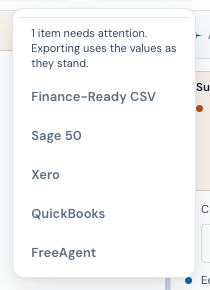
| Format | Best for | Shape | Asks you for | Credit notes |
|---|---|---|---|---|
| Finance-Ready CSV | Spreadsheets, BI tools, custom imports | 34 columns: the full header and line-item record, one row per line item, with the document type stated | Nothing; downloads immediately | As printed, positive amounts |
| Sage 50 | Sage 50 transaction import | 9 columns, PI/PC transactions, DD/MM/YYYY | Nominal code, tax code, A/C ref | Type=PC, positive amounts |
| Xero | Xero bills import | 22 columns for Xero's bill importer | Account code, tax type | Negative line amounts |
| QuickBooks® | QuickBooks Online bill import | 10 columns, net amounts, DD/MM/YYYY | Expense account, VAT code | Left out, because the import cannot take supplier credits |
| FreeAgent | A bill-ready sheet. FreeAgent has no bill CSV importer, so key bills in from it, or post them through FreeAgent's API | 17 columns: FreeAgent's own bill fields, net + VAT + gross per line, DD/MM/YYYY | Spending category, VAT treatment | Negative amounts, with the original invoice named in the comments |
The Finance-Ready CSV, in more detail
This is the "everything" export: the full extracted record (supplier, invoice, ship-to, totals, and each line item's code, description, quantities and price) flattened into one spreadsheet-friendly CSV, one row per line item. The file adds no default of its own: where the record holds no unit of measure, that cell is blank. No prompts, no mapping: it downloads the moment you click. Use it when the destination isn't Sage, Xero, QuickBooks or FreeAgent: analysis, a custom import, or a human-readable record alongside the paper.
Worth knowing
- Exports regenerate from the saved record: re-download from History and you get the corrected data as stored, not a stale file.
- Every export is logged on the invoice's timeline: which format, and from where. Useful when "did we already post this?" comes up.
- Batch and group exports produce one combined file per format for the whole run. Sage, Xero, QuickBooks and FreeAgent exports ask for your codes first, and that one choice applies to the whole file.
- Supplier product codes ride at the end of the description on Sage, Xero, QuickBooks and FreeAgent lines (Steel bracket, 90mm (SB-90)); the Finance-Ready CSV keeps them in its own SKU column.
- Invoices in another currency get a currency check before a Sage, Xero, QuickBooks or FreeAgent export: Sage’s import has no currency field, Xero needs multi-currency enabled to accept a non-GBP file, QuickBooks fixes each supplier to one currency, and a FreeAgent bill carries a currency of its own. The check also names an invoice whose currency is recorded as something that is not a currency code, such as kr or SKr. The Xero, QuickBooks and FreeAgent files write it as recorded, so replace it with the code before you use the file. You choose whether to go back or export anyway.
- Another currency opens on no UK VAT. When every document in an export is in a currency other than sterling, the dialog opens on the code for no UK VAT (T9 in Sage, No VAT in Xero and QuickBooks, Out of scope in FreeAgent): tax on such an invoice is usually the supplier's own country's, and a UK return cannot reclaim it. Under that code the file adds a document's tax to the cost of its lines and posts no VAT, and the dialog says so; a sterling document under it is named too. One code applies to the whole file, so an export that includes a sterling document opens on the standard rate, and the dialog names any foreign document that shows tax, since that code would reclaim it as UK VAT: export those on their own. A document whose supplier is UK, by its VAT number or its country, is treated as UK VAT and is not named there. Under a zero-rated or exempt code the tax stays in the file as VAT and the dialog warns; the exception is FreeAgent, whose sheet leaves the VAT on a bill in another currency for FreeAgent to work out from the rate, so at Zero-rated 0% the printed tax is not in the sheet. A foreign document that shows no tax gets a note that the reverse charge may apply. Where the supplier's VAT number starts GB, XI or UK, or its country is the UK, the dialog says the tax may be UK VAT you can reclaim, and it asks the same of a VAT number with no country prefix. It says this under the no-UK-VAT code and the zero-rated and exempt codes; under a code that charges VAT, which already reclaims it, it only asks about a VAT number with no country prefix, since that tax is right to reclaim if the supplier is UK-registered and not otherwise.
- A document that shows VAT and nothing else. Where no line carries an amount (a net of 0, VAT on its own), the whole VAT goes on its one line, or on a line added for it, so the file never drops the VAT the document prints.
- Exporting a document with failing checks? NoticeDesk asks you to confirm first: a nudge, not a block.
- Never more VAT than the document prints. The Sage, Xero, QuickBooks and FreeAgent files never post more VAT than the document prints. Where the lines add up to more than its net (a discount printed only in the totals, say), the VAT is shared over the lines, so the file posts the printed VAT and a net above the document's; where they add up to less (a line that was not read, or a charge printed only in the totals), each line keeps its share. Either way the dialog says what the file posts, once the gap is more than 5p.
- A line with a price but no amount. The Sage, QuickBooks and FreeAgent files post each line's amount, so a line that shows a unit price but no amount posts nothing for its own amount; where no line shows an amount, the VAT the document prints still goes in (under the no-UK-VAT code, as part of the cost). The dialog names the line.
- A date that could not be read. An invoice or due date that is not a date (TBC, Q1 2026, 30 February) goes into the file as written, and your accounts software may refuse it, so the dialog names it. Correct it on the Extract screen and save first; a saved record opens read-only in History, and uploading the same file again reopens it for editing, with no new read and no credit used.
- Till receipts print VAT-inclusive lines. Where a receipt's lines add up to its total, whether or not it also shows a net subtotal, the Sage, Xero, QuickBooks and FreeAgent files write each line net of its VAT with the VAT beside it, so the file posts what you paid rather than the paid amount plus VAT again. The Finance-Ready CSV writes the same net figures in its Line Total column, with their sum in the Subtotal cell, so a combined file still adds up; the unit price stays as printed. Details in Receipts.
- A VAT treatment written as a word. A line marked Exempt, E, Z, Zero-rated, Out of scope or No VAT is read as a 0% line, so it carries no VAT in the file and an invoice mixing it with 20% lines is flagged as mixed-rate before you download. A tax code printed as the rate is a name, not a percentage: T0, T2 and T9 read as zero-rated, exempt and outside the scope, and T1 or T5 is never read as 1% or 5%. A rate that only names itself (Std, S, T1) is not guessed at: the dialog says which line could not be read.
- The category is yours to choose. A digital record under Making Tax Digital needs an amount, a date and a category; NoticeDesk supplies the first two from the document, and the code you pick before download (a nominal code for Sage, an account code for Xero, an expense account for QuickBooks, a spending category for FreeAgent) is the category, set against your own chart of accounts. NoticeDesk never guesses one from the invoice, and it doesn't file, submit or send anything to HMRC: the export is the digital link into the software that does.
- A line with no unit price, or no quantity, in the Xero file. Xero bill lines carry a quantity and a unit amount, so a line the document shows with no unit price, with one of more than two decimal places, or with a unit price and an amount but no quantity, goes in as one unit at its net amount, with its printed quantity, price or both added to its description, and the dialog names each line it adds to; see Exporting to Xero.
Whatever the format: review the extracted data first. You're responsible for what's posted into your accounts: the markers and compliance checks make the review fast, they don't replace it.